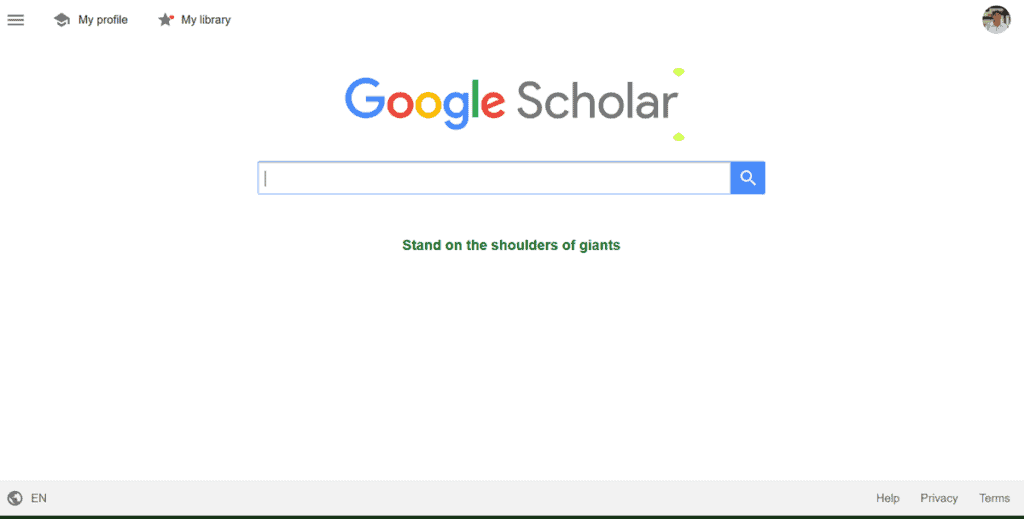
By entering Google Scholar in the browser, the following interface/homepage appears:
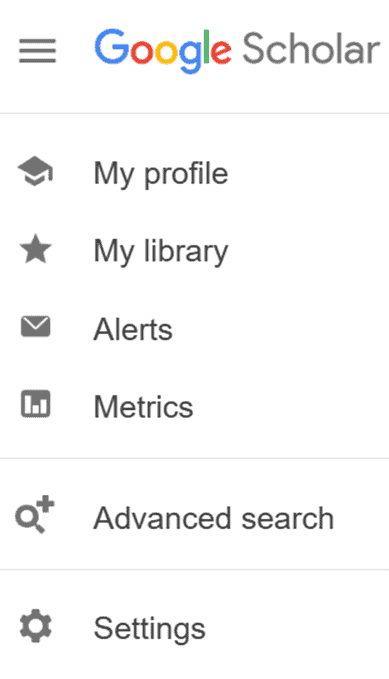
By clicking on the three horizontal lines on the top left side, you are presented with the following drop-down menu:
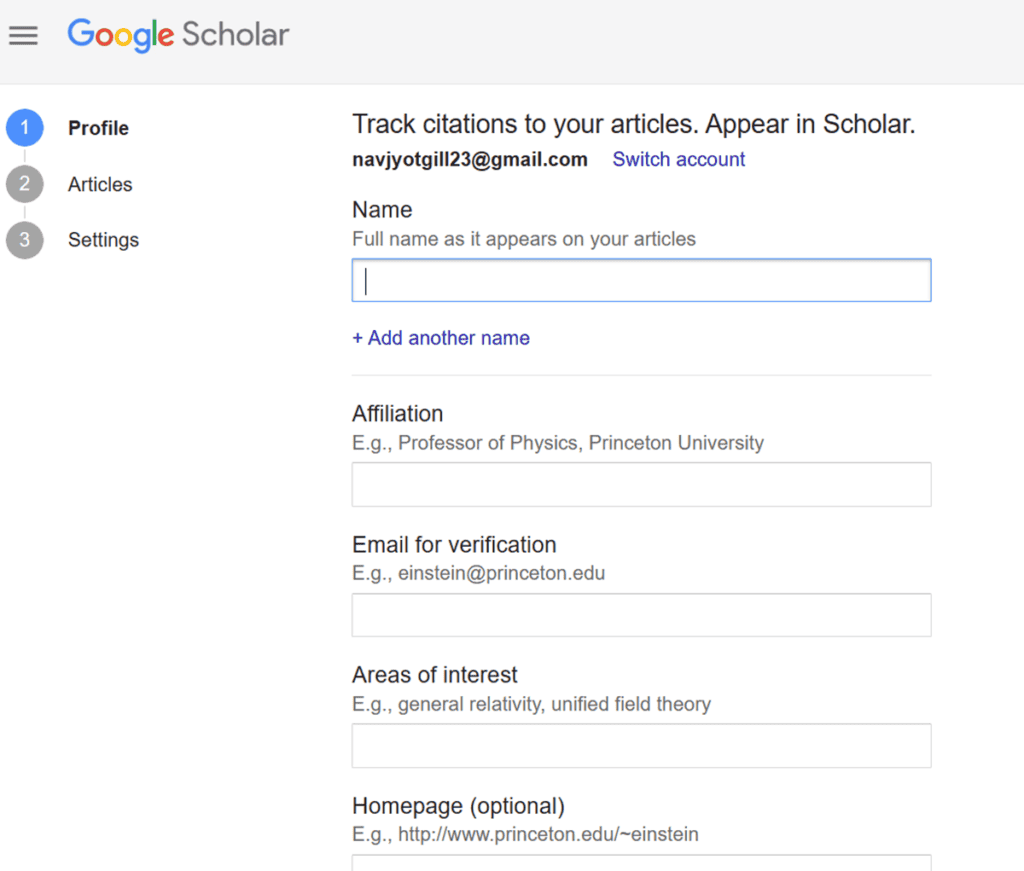
By clicking on Profile, you can create your profile by entering your name, affiliation, email, area of interest, and an optional homepage, if required, as shown below:
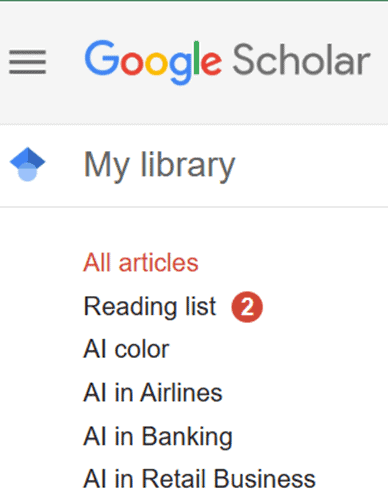
By selecting the library tab, all academic research-related documents to your subject can be created, labeled, and stored for future reference. In this example, AI is the subject area.
The ‘Alerts’ section allows you to set up new results matching your search. Alerts come out many times per week and will appear if any have been set up.
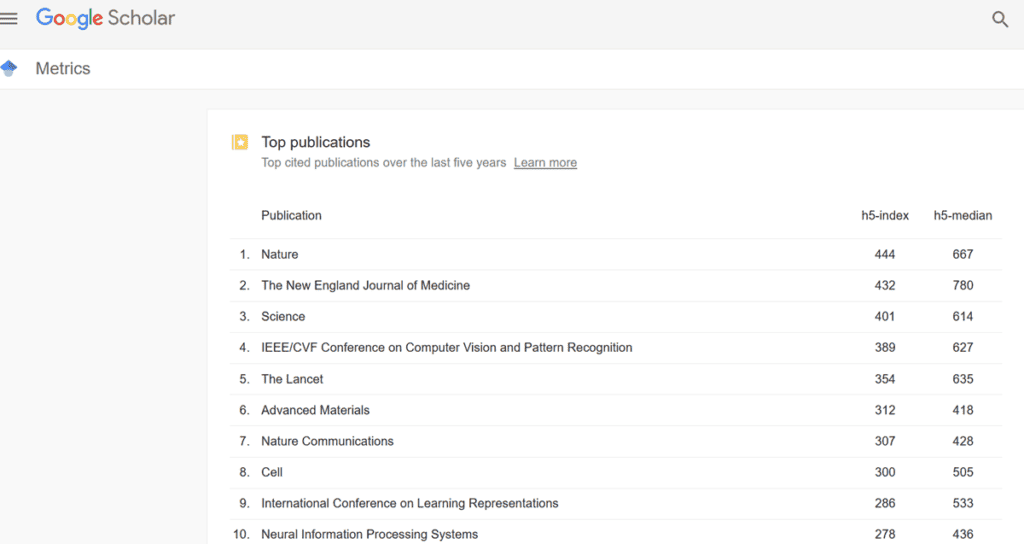
Click on the Metrics button if you wish to see the top publications over the last 5 or 10 years, etc.
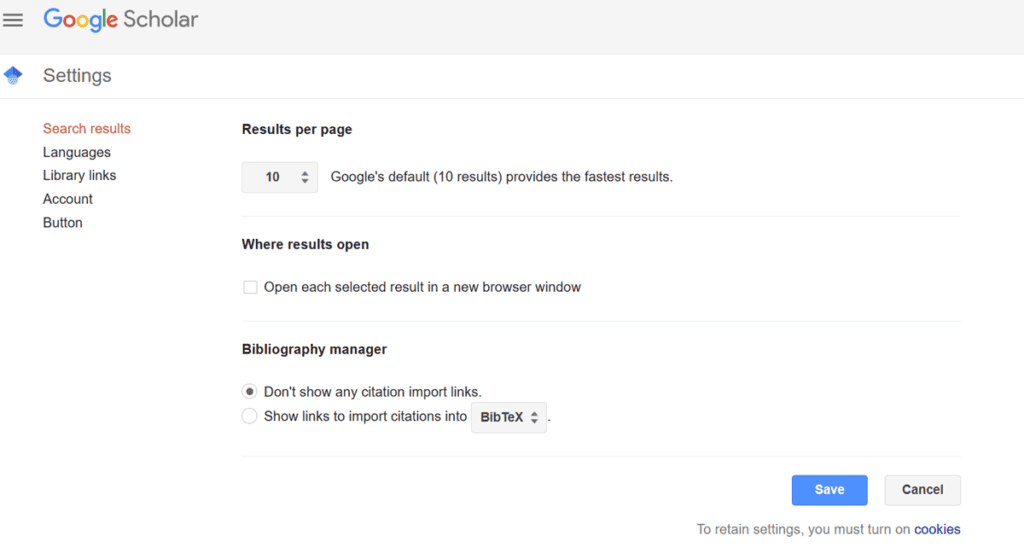
Step 2: Customizing Google Scholar Settings
Choose your preferred language from the drop-down menu.
Specify the number of search results to be displayed per page
Mention if the selected result should open in a new browser window.
Organize the bibliography manager for citation-related instructions.
Create a link to the stored library.
Manage your account.
Add a Google Scholar button in the browser.
Step 3: Conducting Primary Search
If all you need are articles that contain a specific phrase or term, you can enclose it in quotation marks to ask Google Scholar for an exact match.
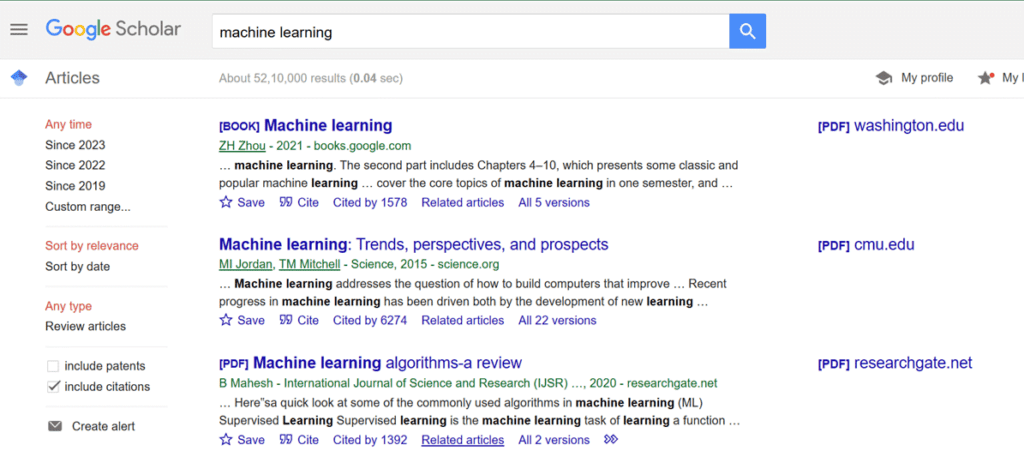
For example, if you search for ‘machine learning,’ Google Scholar will only return articles that contain these two words together, not separately or in a different order. This can help you narrow down your search and avoid irrelevant results.
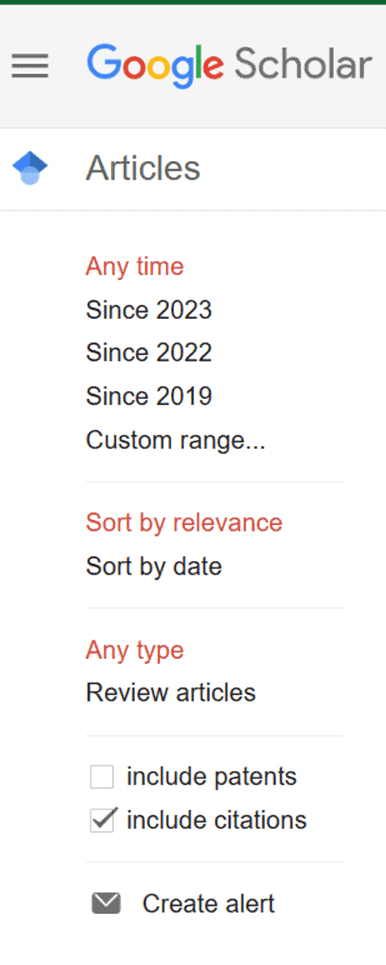
You can use the filter options to sort these results according to your interests and needs. For example, if you want to see peer-reviewed articles, you can check the box next to Include Patents and Include Citations.
Google Scholar offers various parameters that can be defined to personalize the search outcome. Along with the period, the relevance, the type of papers (research, reviews, conferences, books, etc.), and the most recent and most cited papers can be specified.
When you need to find research papers by a certain author(s), enter the name(s) in the ‘Author’ field.
If you want to search for articles published in a certain journal, conference, or book, you can enter the desired platform’s name in the respective field.
Step 4: Setting Advanced Search Options
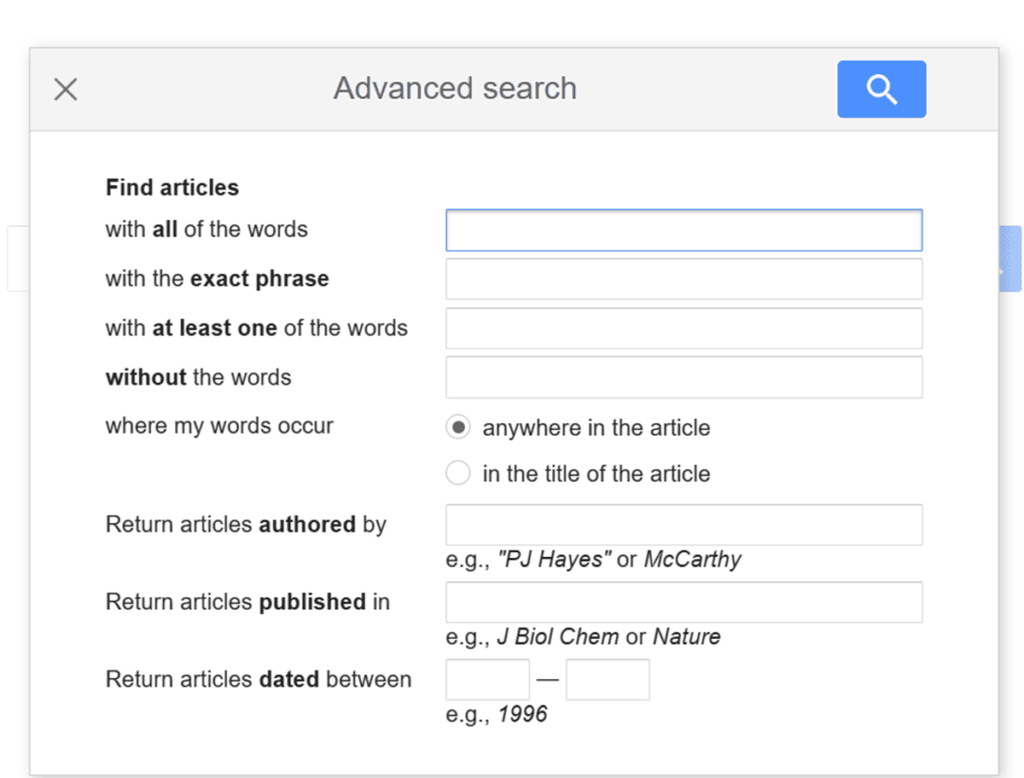
Google Scholar offers advanced search options that allow you to customize your search by a variety of criteria.
The example below elaborates on the steps to perform advanced search functions.
·Whenever you come across a relevant paper that may need revisiting later, you can save it in a library by labeling it under a specific category or title.
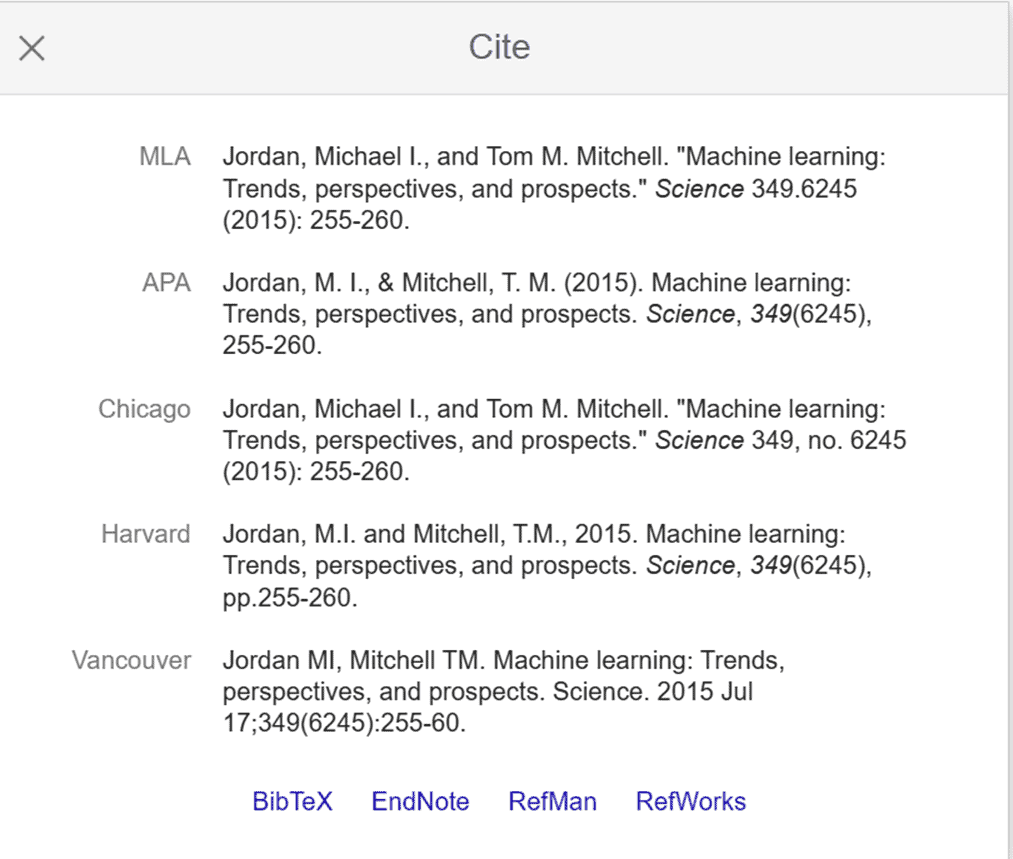
·To generate citations of the paper under review in the desired style formats, such as APA, MLA, Chicago, and more—just click on the ‘Cite’ button to copy the required citation format [shown below].
·Also, the Citation feature tells you how many times the article has been cited by other sources to establish its credibility. The more, the better!
Another way to find relevant articles is by clicking on ‘Related Articles’. This feature will show you a list of other articles that are similar to the article you are interested in.
The versions tab will display different versions of the same subject.
You can use these features to further explore the literature on your topic and discover new sources that may be useful for your area of research study.
Step 5: Using Boolean Operators
Boolean operators are based on Boolean algebra, which was developed by George Boole, a 19th-century mathematician. Essentially, they are words like AND, OR, and NOT, where each one of them performs a specific function. These Boolean operators can customize complex search queries and deliver precise results.
By specifying the relationship between your keywords using these operators, the search queries can be optimized further. For example, if you search for “machine learning” AND “natural language processing,”. Google Scholar will return articles that contain both terms. The search is refined by the operator, resulting in a reduction in the number of search results.
If you enter machine learning, NOT “natural language processing,” you will find only machine learning papers.
If you search for “machine learning” or “natural language processing,” you will get articles containing either of these terms.
Another useful method is to use parentheses to group keywords and operators. For example, if you search (“machine learning” OR “deep learning”) AND (“computer vision” OR “image processing”), Google Scholar will return all articles with the words “machine learning,” “deep learning,” “computer vision,” and “image processing.”
What is the main difference between Google Scholar and Google?
In contrast to Google, Google Scholar makes it simple to look up relevant papers, authors, citations, and works. You can use this to locate even more pertinent scholarly works. You can view the whole document by linking to Google Scholar through Western Libraries, even if the results might not contain the entire text.
How can students use Google Scholar?
Students only need to type a search phrase into the Scholar search box, just like they would with Google, to start finding published research papers, conference or review papers, books, and articles. By employing the filter functions, students can optimize the search results.
What type of database is Google Scholar?
Google Scholar is not a database but an academic web-based search engine. Google Scholar shares many similarities with Google, including an advanced search feature that facilitates locating specific or similar documents.
Conclusion
Scholarly articles from a wide variety of publishers and fields are indexed in Google Scholar, which is a free and open-access online search engine.
In a nutshell, Google Scholar is a one-stop shop to source almost all academic/scholarly-related online research documents.
Since it can be a daunting task to access relevant research papers from a search engine of this magnitude. It makes sense to learn the fine art of optimizing all the features of Google Scholar to maximize its output potential.
Hopefully, this step-by-step tutorial will get you going with your research project.
After a career in biochemistry and molecular biology, I now dedicate this ResearchDeep platform to simplifying Master’s and PhD research to assist postgraduate researchers worldwide.
To know more, visit the ABOUT page.
To provide the best experiences, we use technologies like cookies to store and/or access device information. Consenting to these technologies will allow us to process data such as browsing behavior or unique IDs on this site. Not consenting or withdrawing consent, may adversely affect certain features and functions.
Functional
Always active
The technical storage or access is strictly necessary for the legitimate purpose of enabling the use of a specific service explicitly requested by the subscriber or user, or for the sole purpose of carrying out the transmission of a communication over an electronic communications network.
Preferences
The technical storage or access is necessary for the legitimate purpose of storing preferences that are not requested by the subscriber or user.
Statistics
The technical storage or access that is used exclusively for statistical purposes.The technical storage or access that is used exclusively for anonymous statistical purposes. Without a subpoena, voluntary compliance on the part of your Internet Service Provider, or additional records from a third party, information stored or retrieved for this purpose alone cannot usually be used to identify you.
Marketing
The technical storage or access is required to create user profiles to send advertising, or to track the user on a website or across several websites for similar marketing purposes.




Comments are closed.